
PartsRec will attempt to automatically match transactions to factory invoices and purchase orders to automate your reconciliation process. Certain criteria must be met for the system to automatically reconcile these invoices and transactions; there must be an exact match in the part number, reference number, cost, and count. PartsRec will try to match a reference using the line item reference, vendor invoice number, PO number, Dealer Reference number, PO Comment, and PO RO Comment.
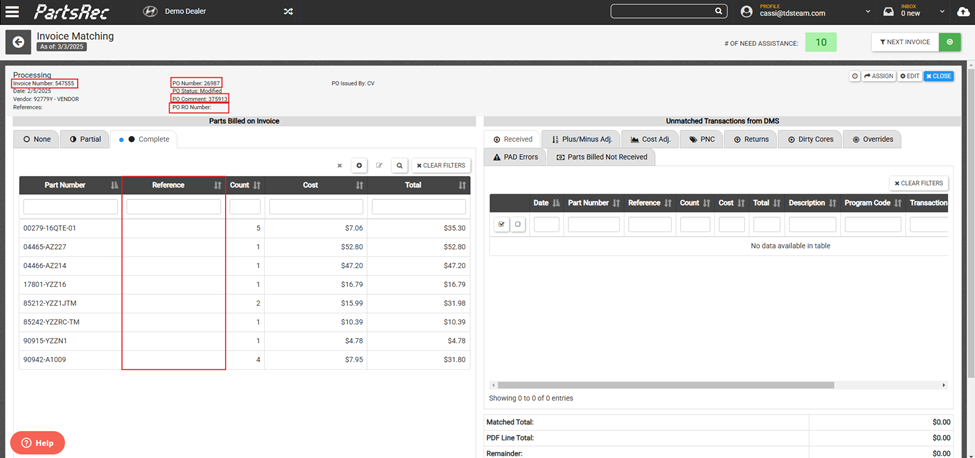
Here is an example of a transaction that matched automatically. Notice that the part number, reference number, cost, and count are all exactly the same. 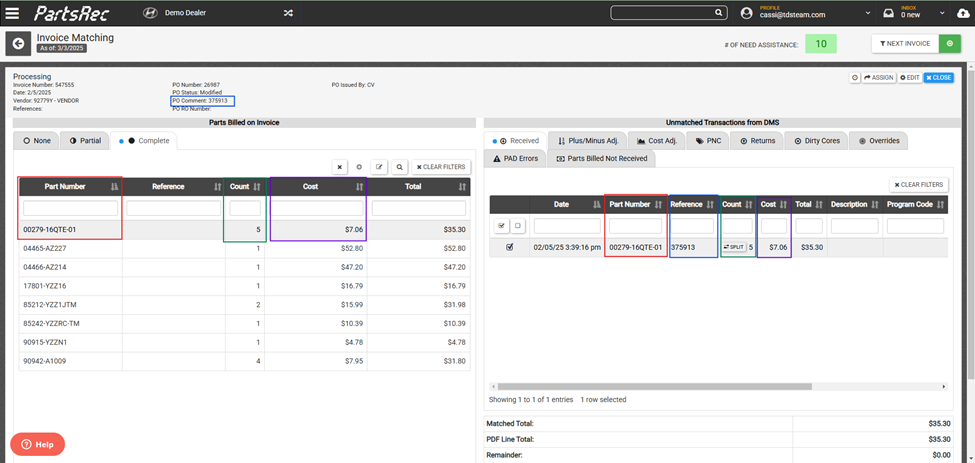
If there is a discrepancy, the invoice will not automatically complete and will go into Need Assistance status. They can be manually matched and/or allocated. For more information on manually matching, please see our help article on Invoice Matching.
Generating transactions may be required to complete your invoice. However, generated transactions will only be necessary if a transaction will not occur. For example, a part that was purchased and returned but never received in to the DMS may need an In/Out generated in PartsRec. For more information on this, please see our help article Generating Transactions.
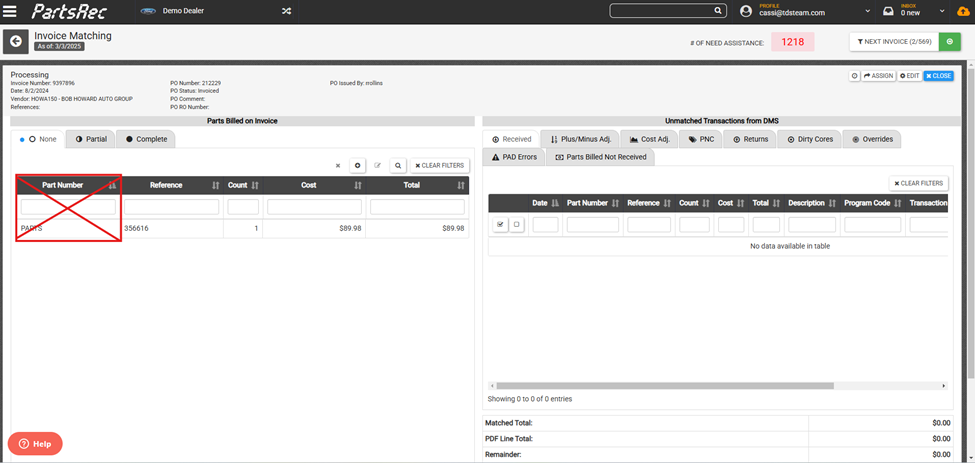
There are several things the parts department can do to aid the system in the automatching process. When writing purchase orders in the DMS, be sure to use a real part number. Avoid generic part numbers like “FILTER”. You should also separate out different billed lines. For example, rather than combining five parts into one line labeled “PARTS”, there should be five separate lines with the correct part number listed.
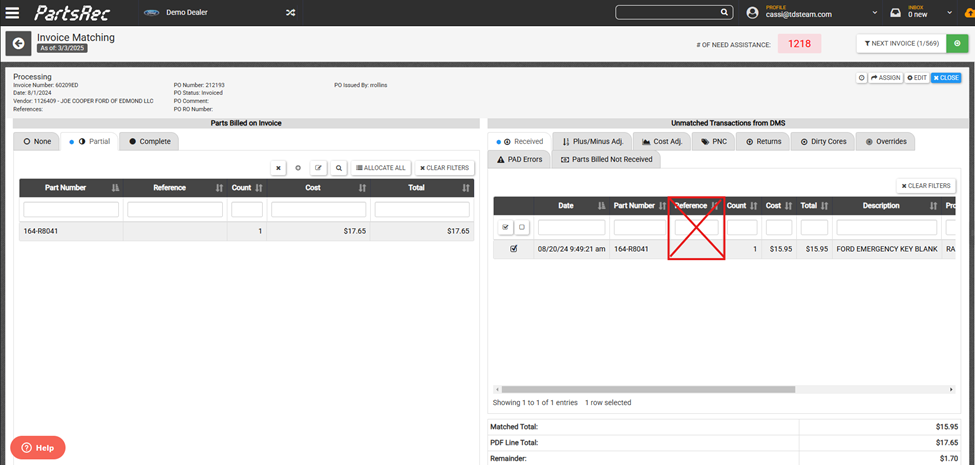
When writing the PO, using a good reference number will also help the transactions to automatch. When receiving parts into inventory, be sure to use the specific reference number that will match the invoice. Avoid using generic references like STOCK, STK, or leaving it blank.
**Changes can be made to company processes and settings in PartsRec to automate matching of invoices. To find out more about this, please reach out to PartsRec Support!