
- Setup Actions
- PartsRec Support
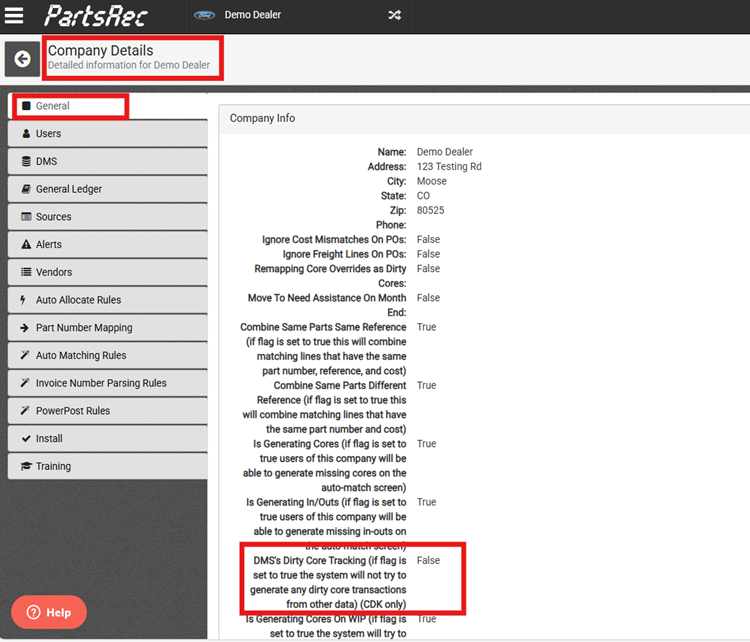
- Enable “DMS Dirty Core Tracking” in Company Admin. Set Flag to “True”.
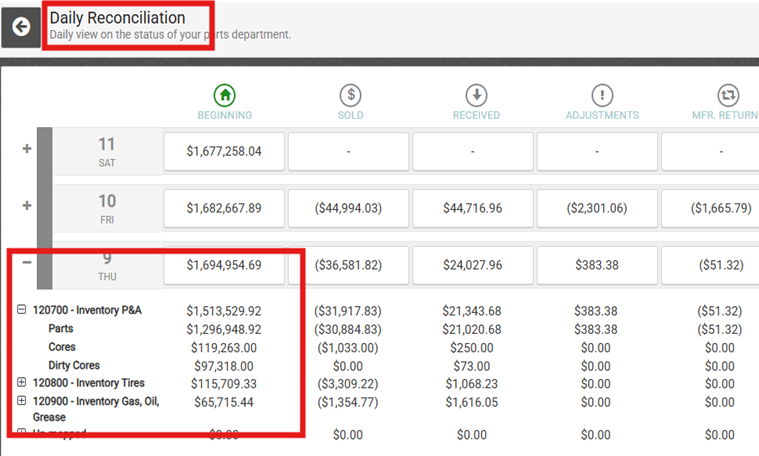
- Verify that the Beginning Inventory shows cores.
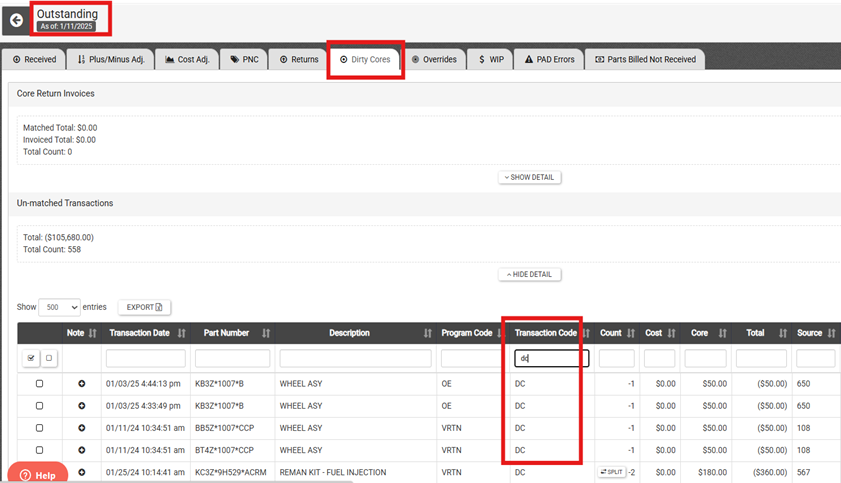
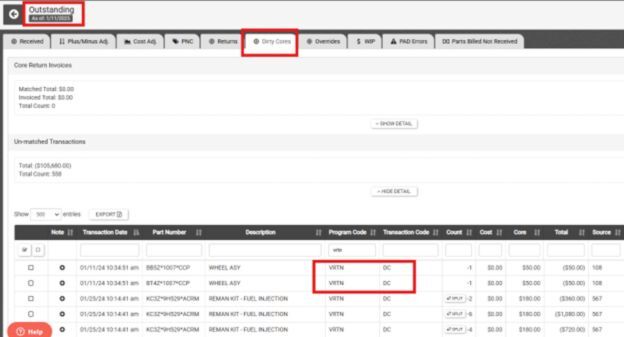
- Confirm that DC transactions are visible in the Outstanding Dirty Core tab.
- Enable “DMS Dirty Core Tracking” in Company Admin. Set Flag to “True”.
- Parts Department
- Conduct a physical count of dirty cores.
- Update core counts in DMS using CMOD or CMNT.
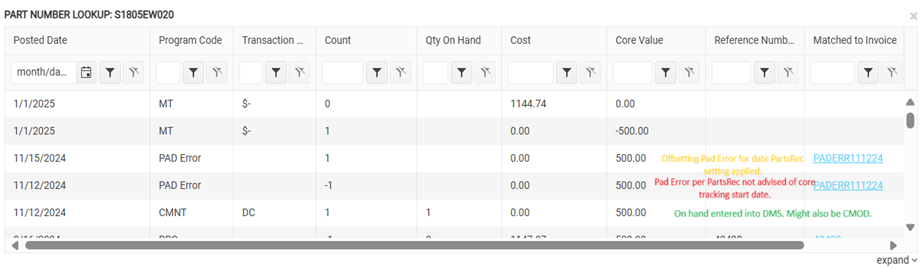
- CMOD and CMNT transactions will appear the next day in the Outstanding Dirty Cores tab in PartsRec. You will want to create a memo for accounting to post the adjustment to your parts inventory to account for dirty cores on hand.
- Document cores sent back but not yet credited.
- Send a list of “cores in transit” to PR Support.
- PartsRec Support
- Cleanup Actions
- PartsRec Support
- Keep “cores in transit” generated dirty core transactions in PartsREc. (Put a note on each indicating status.)
- If timing issue with dirty core activation in DMS vs. PartsRec, clean up offsetting PAD errors.
- Parts Department
- Create a memo for unmatched dirty cores generated before the DMS dirty core activation date and post adjustment amount to the GL.
- PartsRec Support
- Matching Going Forward
- Parts Department
- Matching to invoices - No change here. You will receive in the part as normal and match the transaction to the debit invoice.
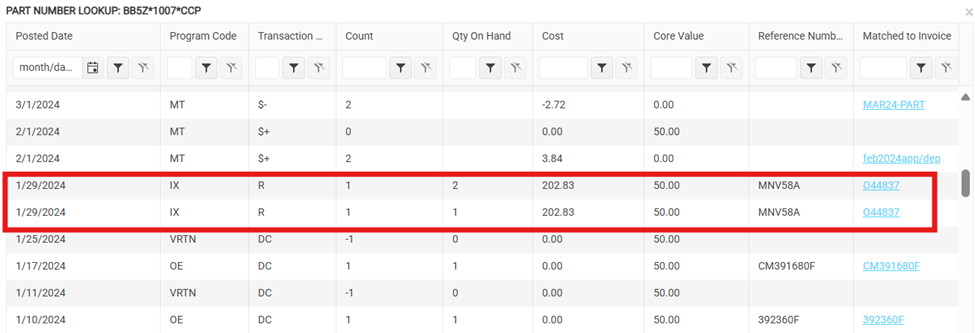
- Matching to credit invoices – Matching transaction will be program code VRTN / transaction code DC. If you do not have an available match, check to make sure core was removed from inventory and sent back for credit in CDK’s DC tracking program.
- Matching to invoices - No change here. You will receive in the part as normal and match the transaction to the debit invoice.
- Parts Department
- Troubleshooting Notes
- A missing core transaction could mean they did not follow the process properly. Remember, these are now like a normal received/return transaction.
- There will not be a pad error unless another issue has occurred.
- VRTN DC = Vendor dirty core. CMOD DC or CMNT DC is a plus/minus adjustment for the core.
- There is a VRTN report in CDK just like the MSR report.