Creating a manual memo in PartsRec is the easiest way to report adjustments that need to be made for appreciation/depreciation to the dealership’s accounting team.
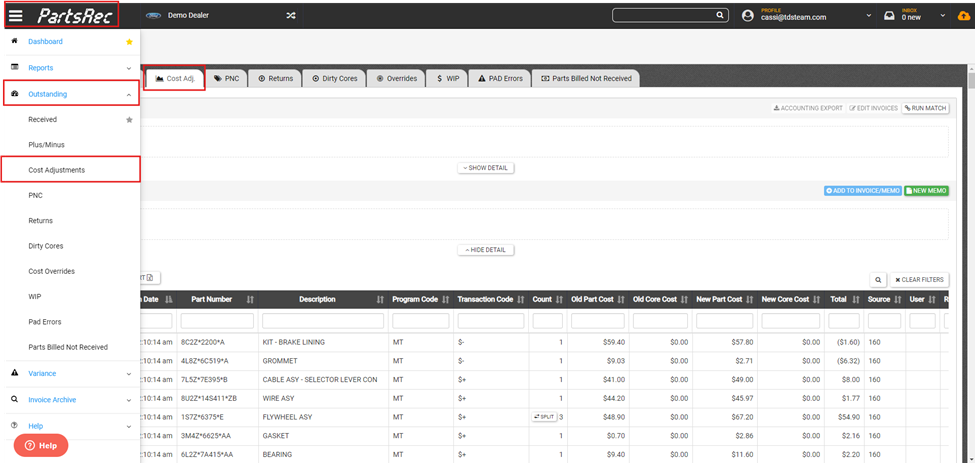
- Navigate to the Outstanding section in the Cost Adj. tab. This is where the memo will start.
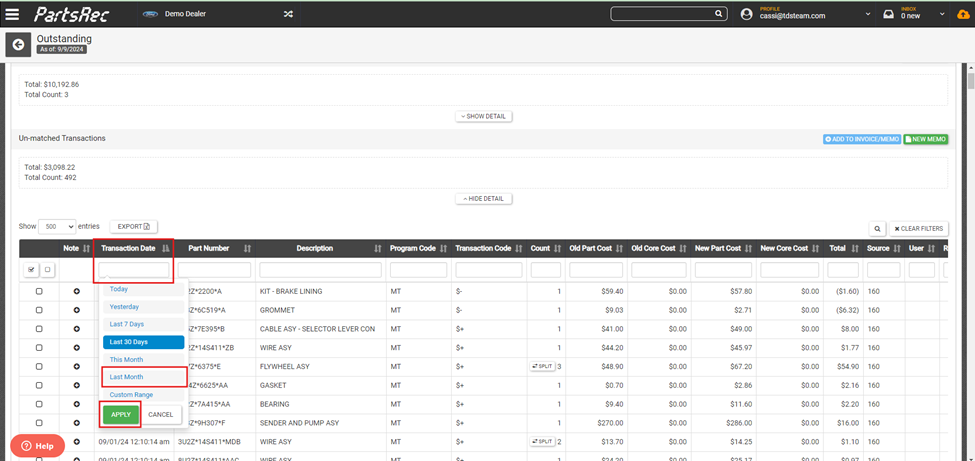
- Select the relevant dates using the date filter in the Un-matched Transactions table. Select “Last Month” to isolate the transactions from the previous month. To do a memo for the current month, choose “This month”. Click Apply.
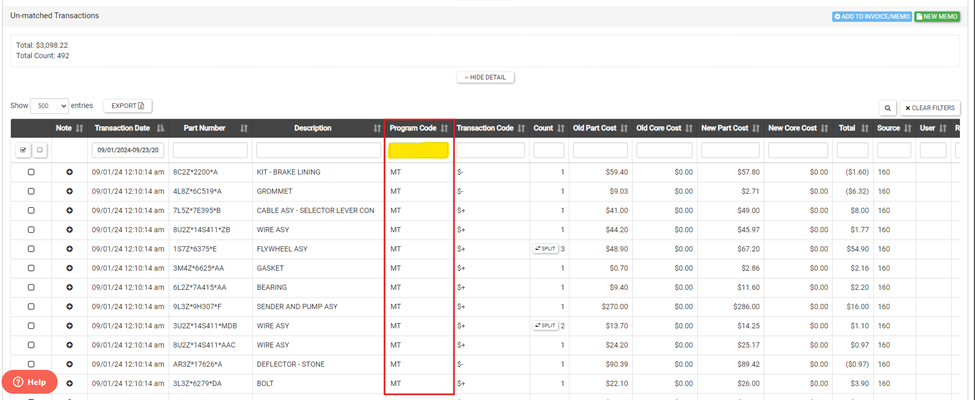
- Transactions in this section are either Master Tape (MT) transactions that are sent to CDK automatically when the cost of a part changes or Parts Maintenance (PM) transactions that are done manually when the cost of a part is changed in Parts Maintenance. Use the Program Code filter to isolate only the MT transactions.
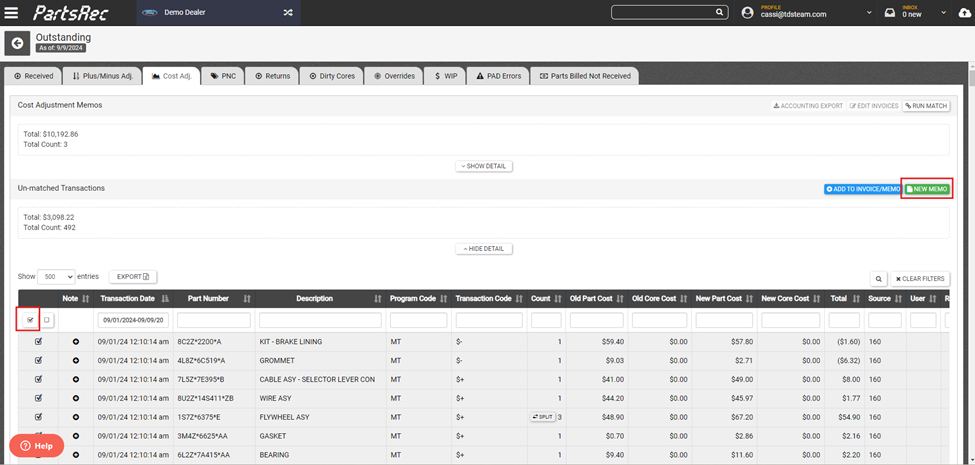
- Click the “select all” check box on the left side to grab all the transactions and click “New Memo”.
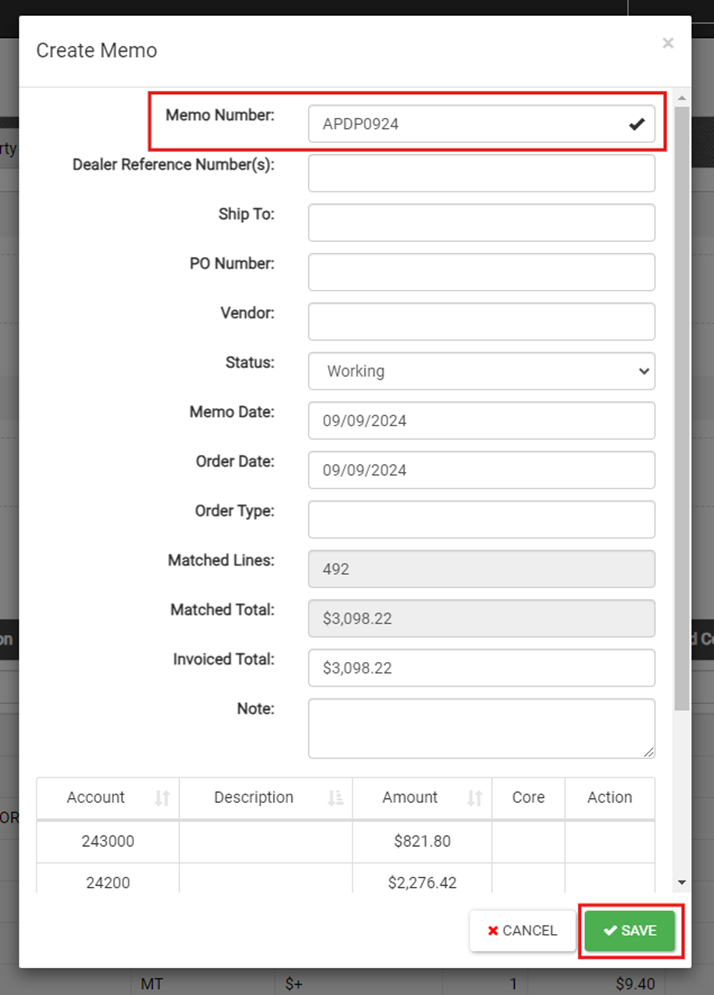
- In the modal, add a unique invoice number. Use our Memo Nomenclature Guide to help with the naming of your manual invoices. Click Save.
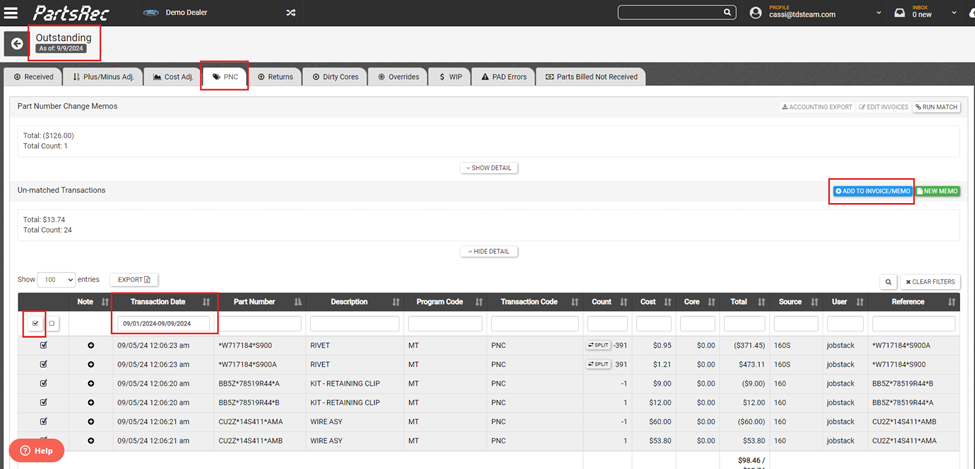
- Navigate over to the PNC tab, use the date filter to pull the correct month, select the transactions and click the blue Add to Invoice/Memo button.
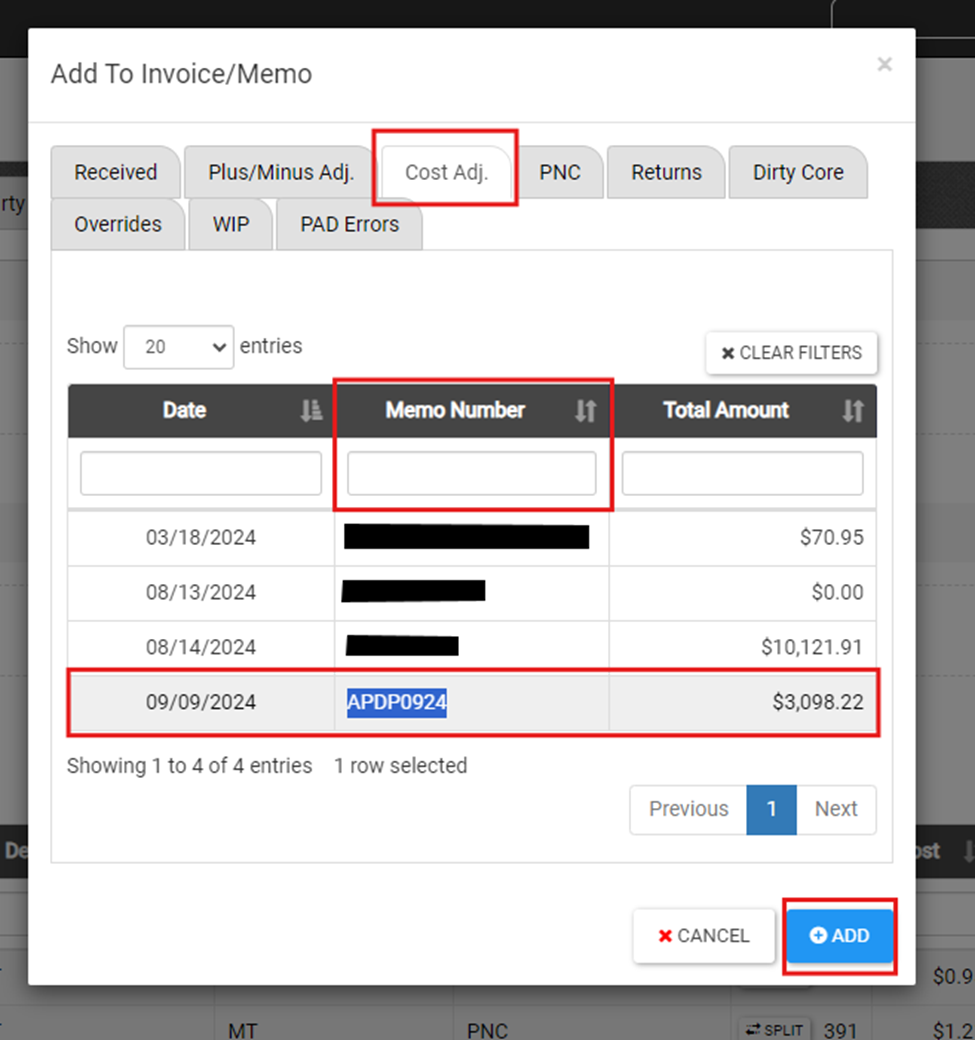
- In the modal, navigate to the Cost Adj. tab (this is where we created the memo. Search the memo number, if necessary, select the memo, click +Add.
- Find the newly created memo either by going back to the Cost Adj tab, clicking Show Detail, and clicking on the invoice from the list or searching the memo in the search bar.
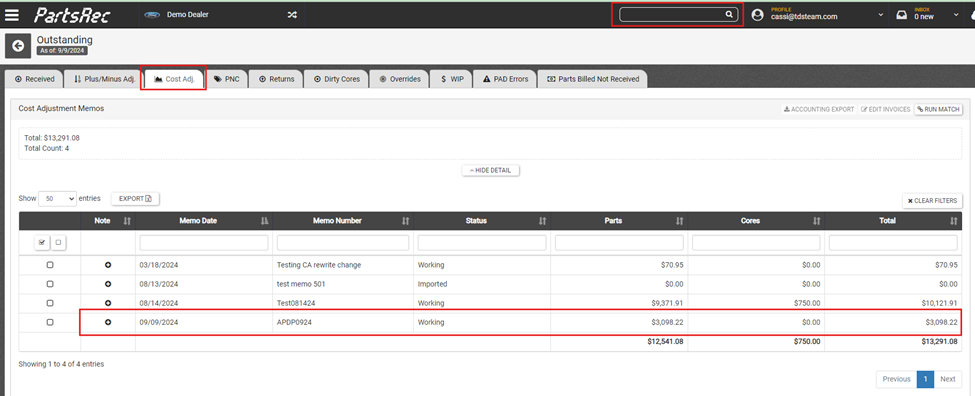
- Once the memo is created, there are a few things that need to be done to wrap this up and get it ready for accounting to post.
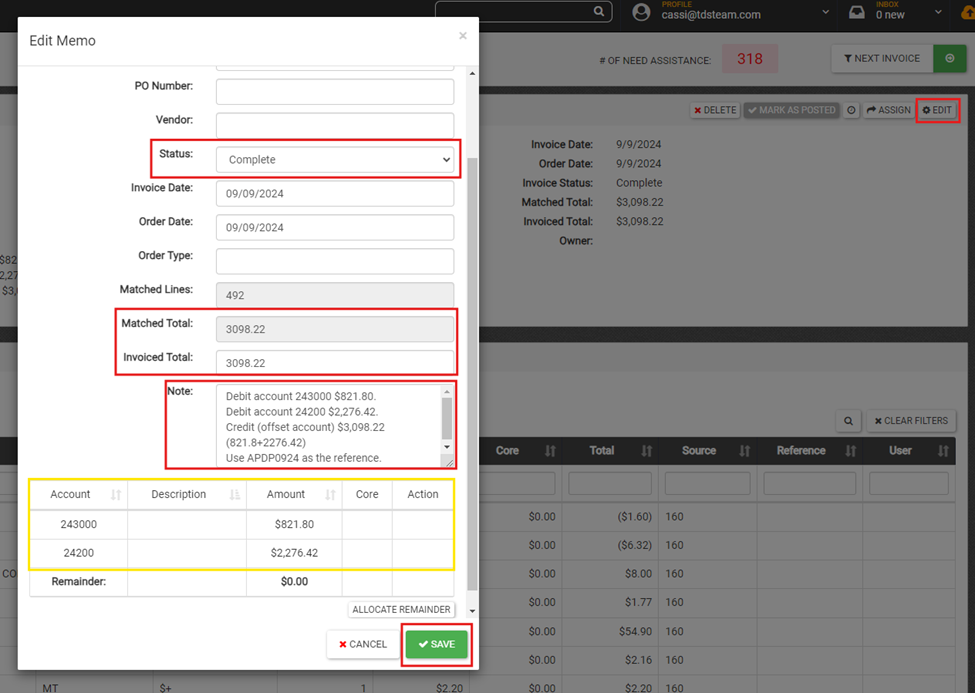
- Click the Edit button.
- Adjust the Invoiced Total to match the Matched Total if necessary.
- Change status to Complete.
- Notate for accounting. For example, the note for this invoice would say: “Debit account 243000 $821.80. Debit account 24200 $2,276.42. Credit (offset account) $3,098.22 (821.8+2276.42). Use APDP0924 as the reference” This information is obtained from the table at the bottom. Using the invoice number as the reference number will allow the posting to match to the memo automatically. Save.
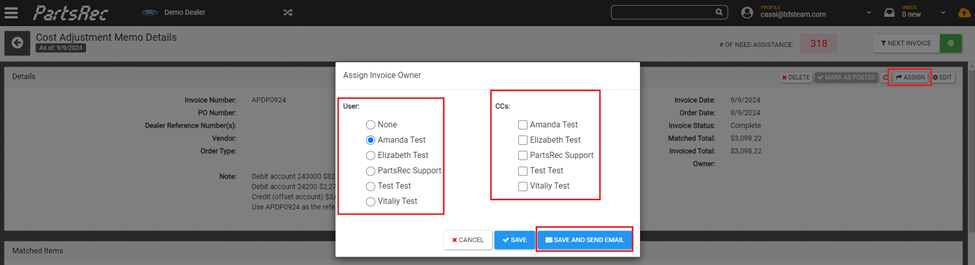
- Assign to accounting. Choose Save and Send Email to alert them of the invoice.