Dismissed Errors
The Dismissed Errors tab in PartsRec holds any invoice or RO error that has been dismissed. An error can be dismissed in one of two ways: manually by a user and automatically by the system.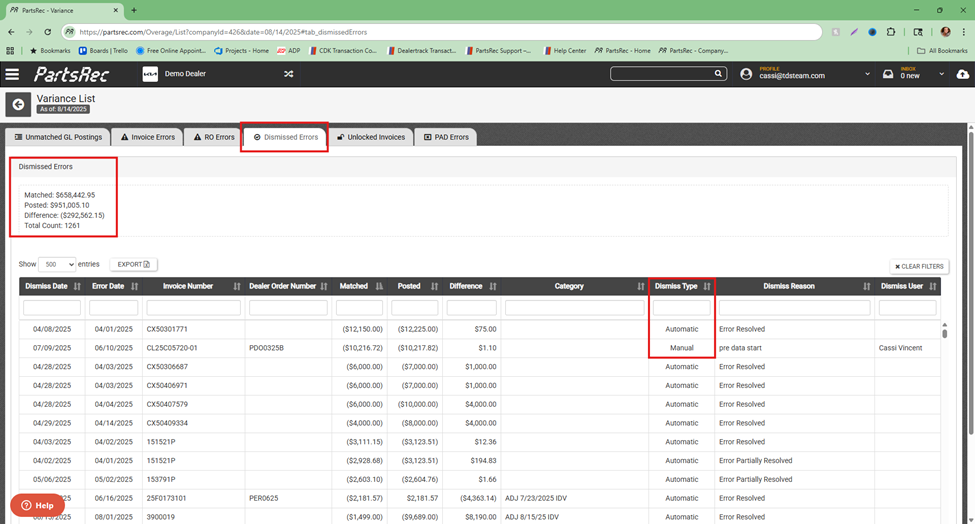
Manually Dismissed Errors
The dismiss button on an error is located at the top, right corner of the error detail screen. To dismiss the error, click the Dismiss button, put in a reason for dismissing the error, and click Yes. Once the error is dismissed, you will see it in the Dismissed Errors tab.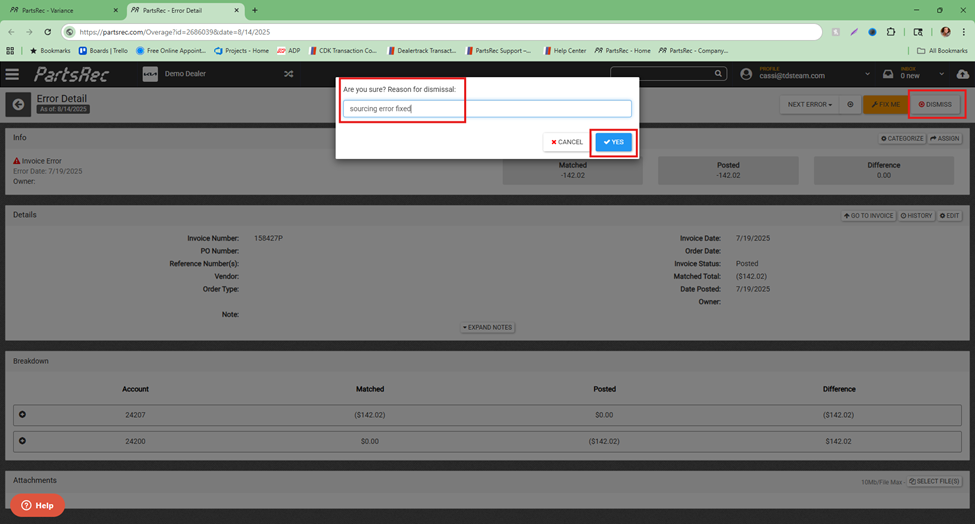
If the error was dismissed in error, open the error and click the Un-Dismiss button in the top, right corner of the screen. The error will return to the appropriate tab.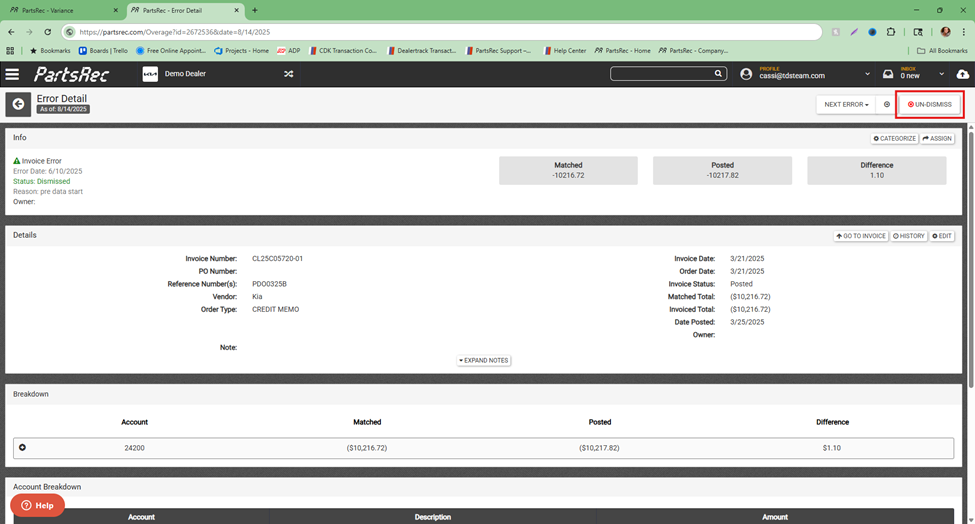
Dismissing an error does not fix a variance. It only acknowledges and accepts the error. If there is a difference in the error, that difference will continue to impact your variance until it is resolved with a transaction or GL adjustment.
Automatically Dismissed Errors
These errors have been resolved when a transaction or accounting correction is made and applied to the error and dismissed automatically.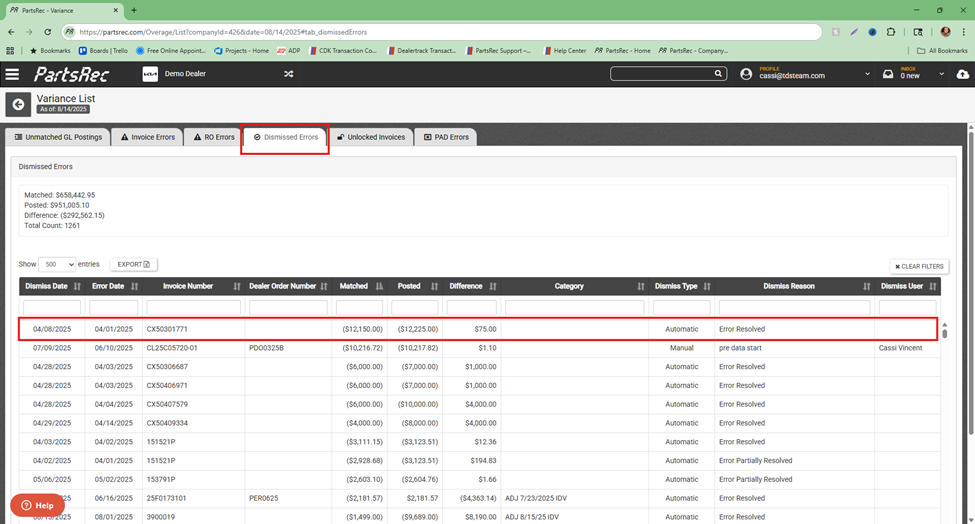
When opening the dismissed error, the Un-Dismiss button is greyed out. This type of error cannot be un-dismissed as it has been resolved.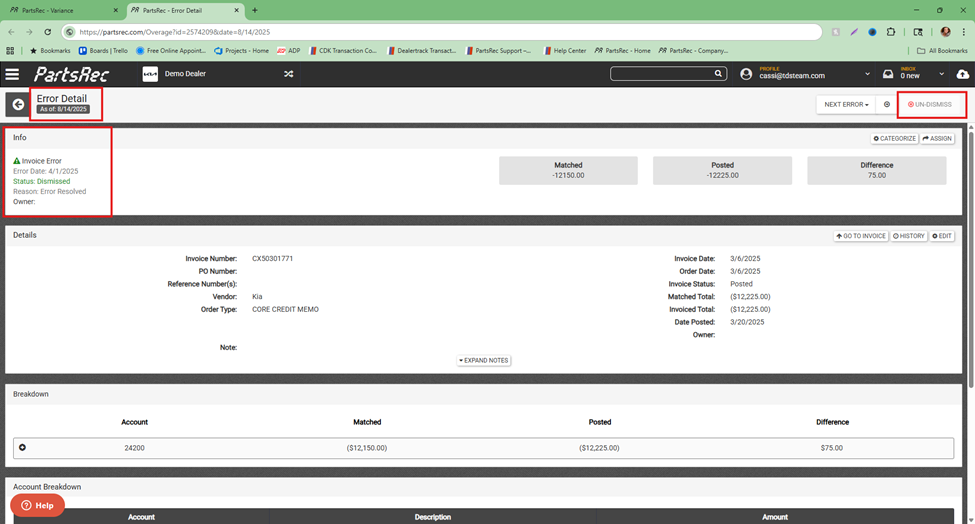
If the resolution the system found to fix the error did not fully resolve it, the error will be automatically dismissed with a “Dismiss Reason” of “Error Partially Resolved”. In this case, a new error has been created in the appropriate tab.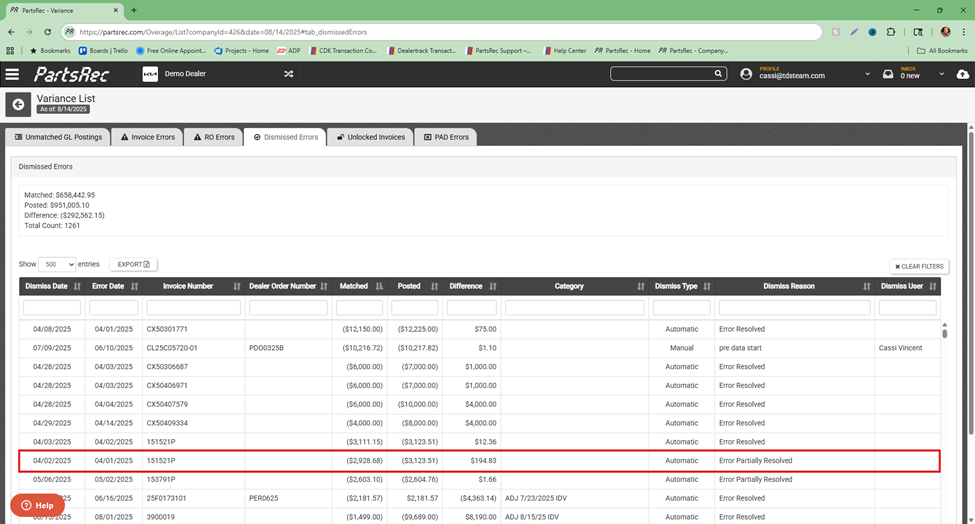
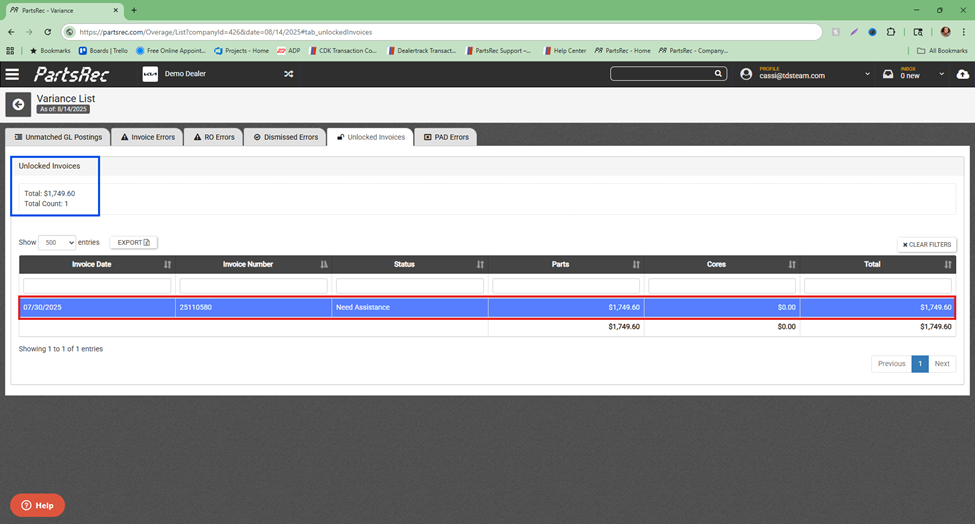
Unlocked Invoices
An invoice is considered “unlocked” in PartsRec when it was previously in posted status and taken out. Typically, your unlocked invoices tab should be empty.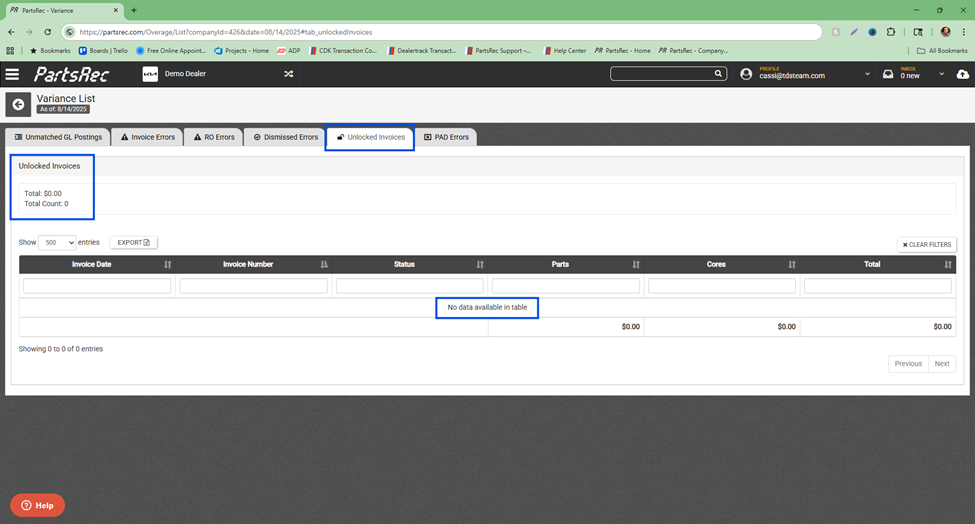
If there is an invoice listed in the Unlocked Invoices tab, you can click on the blue hyperlink to open the invoice, resolve it, and put it back to posted status. Getting the invoice back into posted status locks the invoice and removes it from the Unlocked Invoices tab.