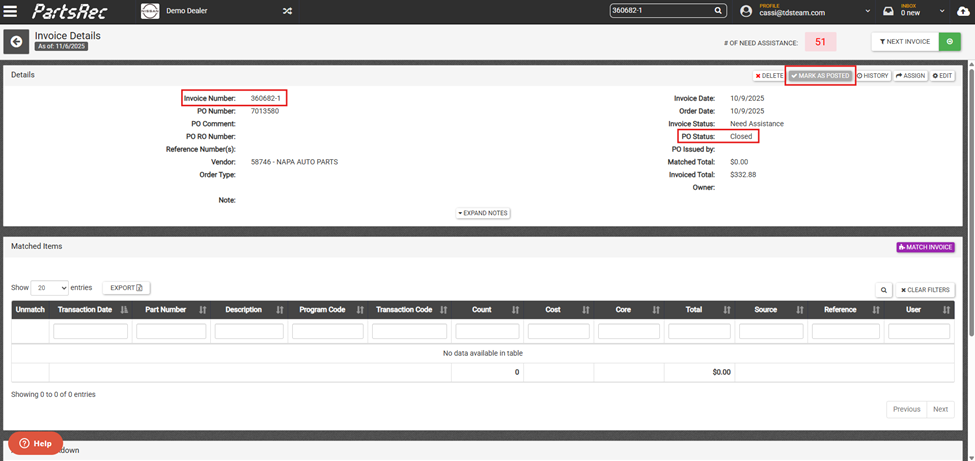
Duplicate invoices in PartsRec are indicated by a -1 at the end of the invoice number. PartsRec won’t allow you to upload a duplicate invoice during the factory invoice upload process. However, with POs being imported from the DMS, there is a possibility for duplicates.
*Acura/Honda does use duplicate invoices. See how to allow those uploads here: Allowing Duplicate Invoice Numbers for Acura/Honda Dealers.
The first step to resolving a duplicate invoice is to verify that the -1 invoice is, in fact, a duplicate. Do this by comparing the original and duplicate invoices’ invoice totals, vendor, and parts billed on the invoice. If these are the same, this is a confirmed duplicate invoice.
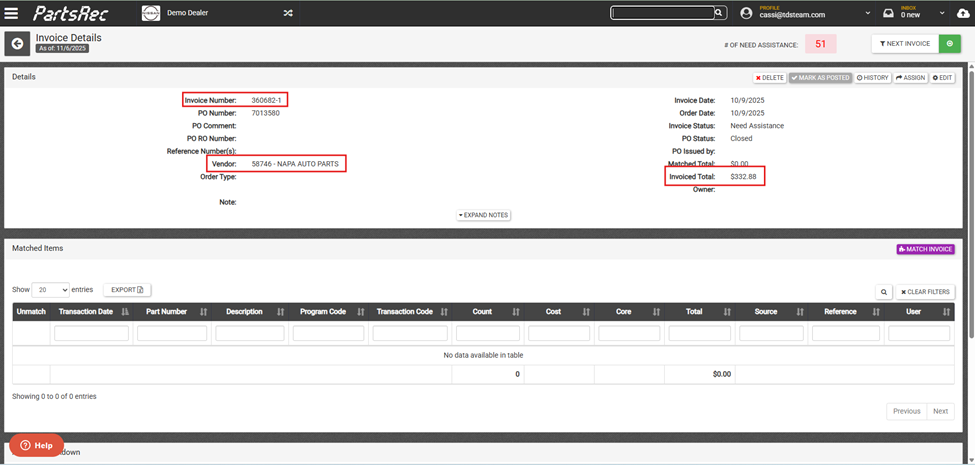
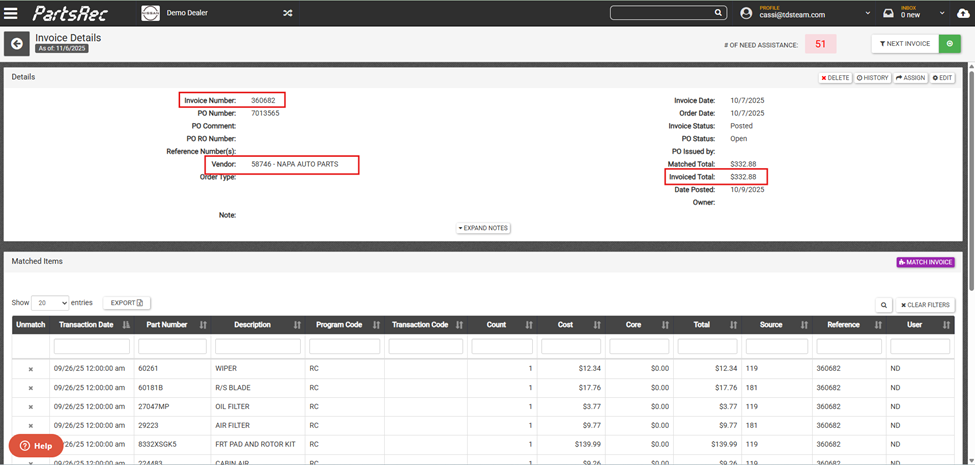
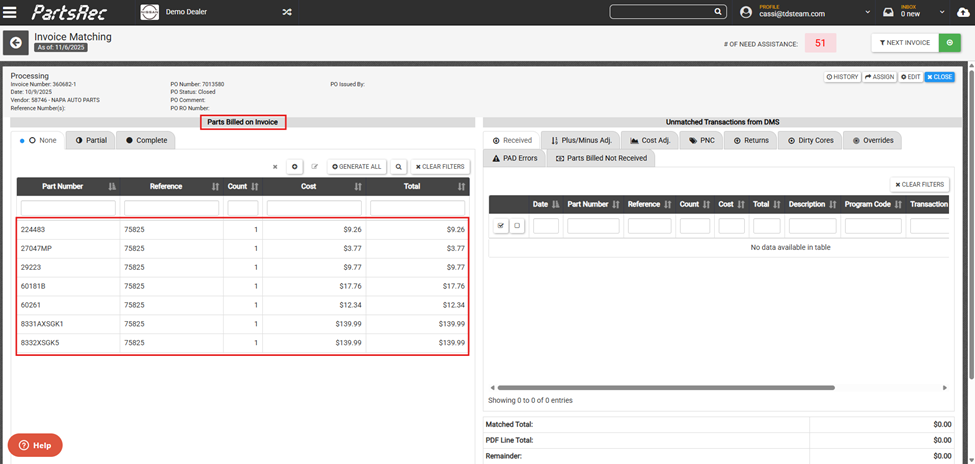
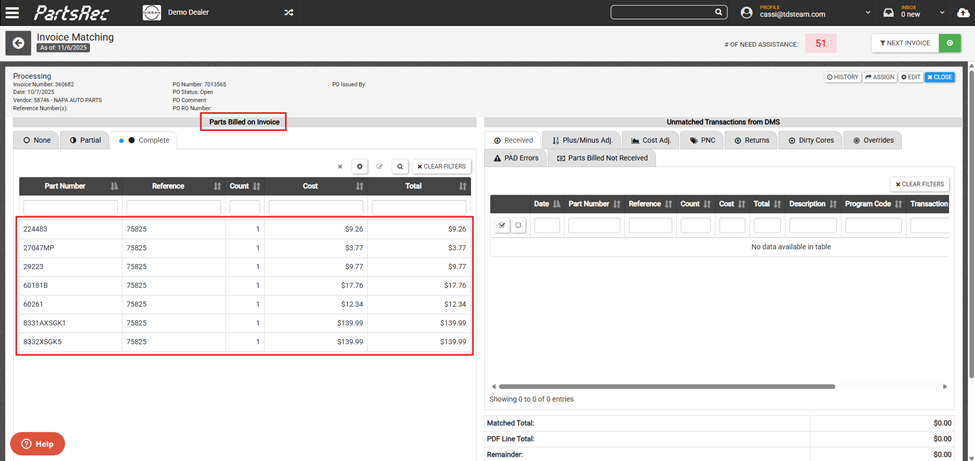
You’ll also want to check two things:
- Whether the original invoice (the one without “-1”) was voided.
- Which invoice accounting posted to the GL.
If the original PO was voided, treat the “-1” invoice as the active one and match it like normal. The GL posting should then be matched to that invoice.
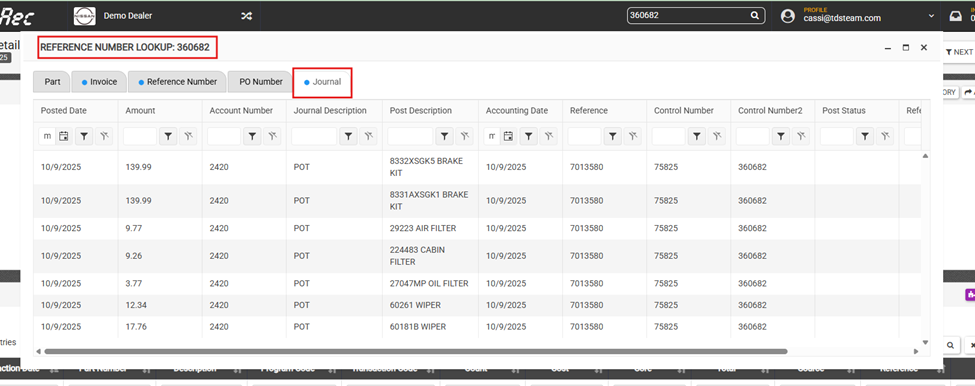
To see which invoice was posted, just search the invoice number. The original invoice will show journal postings if it was posted. If the “-1” invoice shows no journal entries, that means it wasn’t posted and needs to be cleared out.
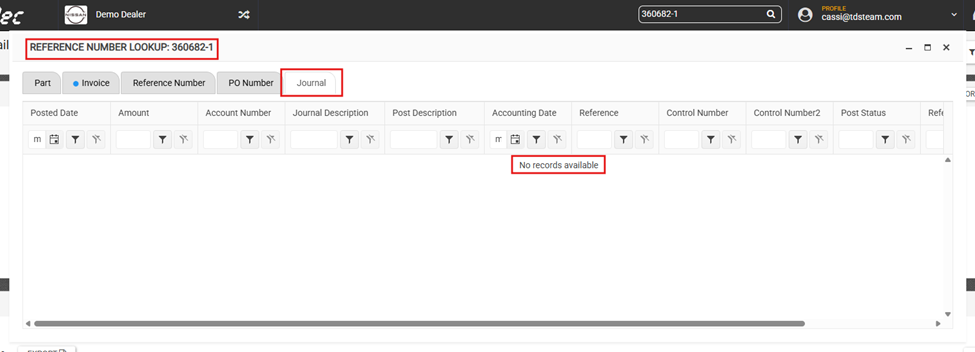
Now that we have confirmed the -1 invoice is, in fact, a duplicate, we want to ensure there are no parts matched to it and the matched total is $0.00. If there are any part transactions matched to the invoice, unmatch them in the matching screen. Once the matched total is $0.00, the duplicate invoice can be cleared by clicking the grey Mark as Posted button at the top of the Invoice Details page. This action will move the invoice to posted status. However, since there is nothing matched ($0.00 matched total) and nothing posted ($0.00 posted total), this will not create an error and will simply move the invoice to the archive. You should also confirm that the PO is closed in your DMS. If not, manually close the PO to avoid any automatic postings.