
Invoices that are ready to be posted to the GL are in complete status. The fourth daily action item Export Complete Invoices will generate a report of all complete invoices with the GL coding. PartsRec offers this report in two ways: a PDF report, an Excel/Powerpost, or to email the report. Whether the PDF or Excel report is used, all GL entries and postings are made in CDK and imported into PartsRec the next day. Only invoices in complete status should be posted to the GL to decrease variance errors.
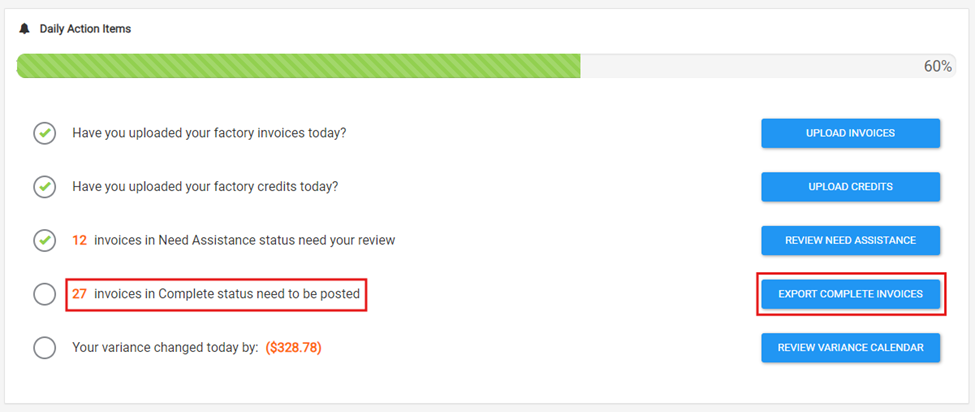
- The fourth daily action item will show the number of invoices in complete status; click “Export Complete Invoices”.
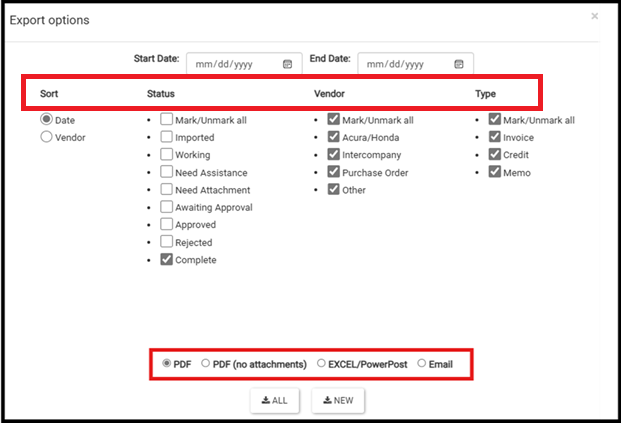
- A modal will pop up with a filter to choose the type of report to download. The default options are as follows: Sorted by date, complete invoices only, all vendors, all types, and the PDF report. Change these options as needed, and click All if this is the first time running the report that day or New if the report has been run and those invoices have already been posted to the GL.
- Post to the GL. The GL entries will be imported to PartsRec during nightly processing and match with the complete invoices.
PDF vs. Excel/PowerPost vs. Email
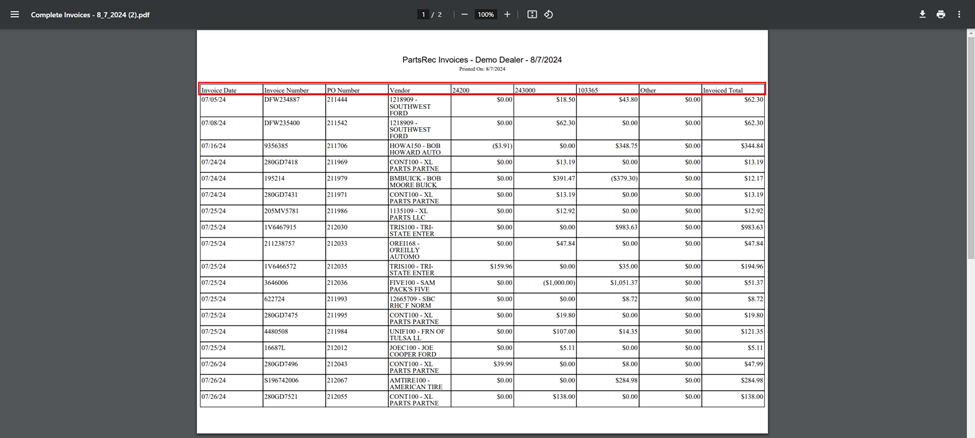
- The PDF option includes a summary page of all invoices in complete status as well as hard copies of all factory invoices. The summary page lists invoice information along with the GL coding. If Powerposting is used, this report can be used to ensure POs/third party invoices are being posted correctly.
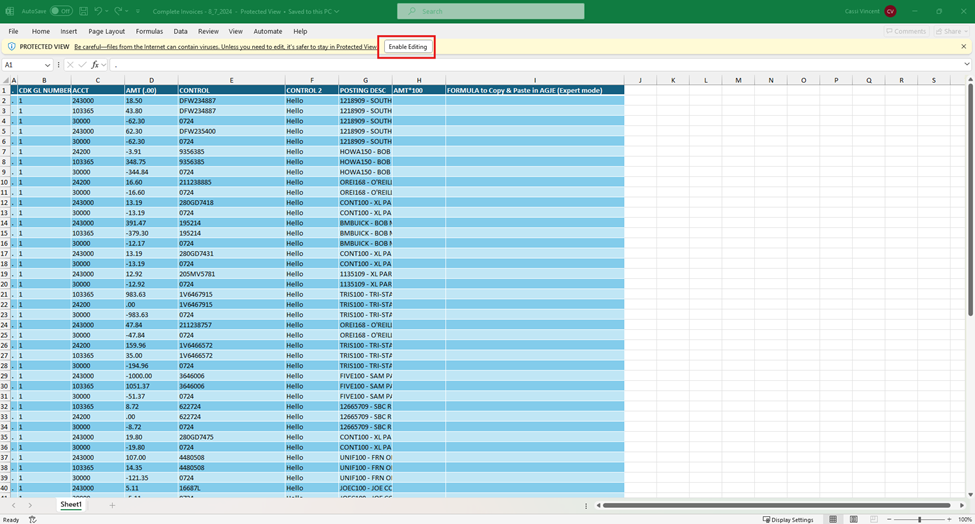
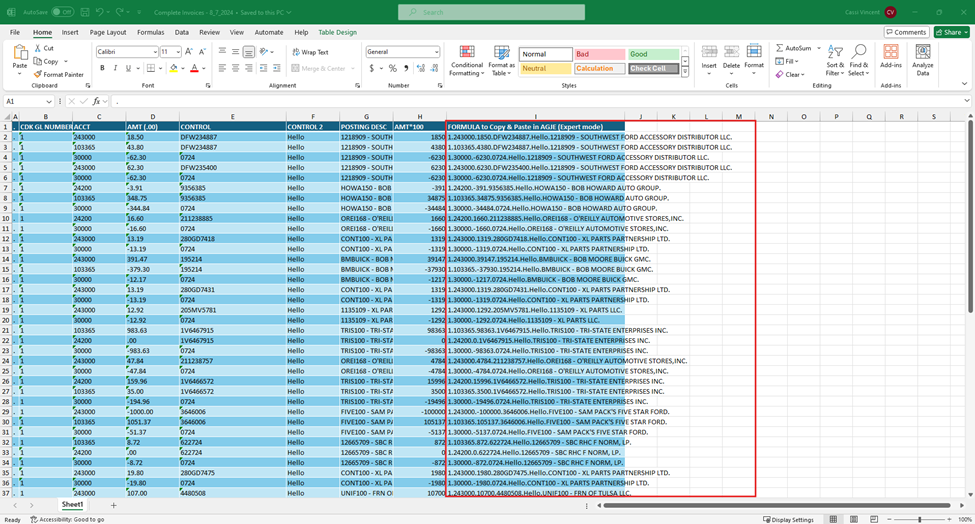
- The Excel/Powerpost option included the concatenated formula that can be copied and pasted in expert mode in AGJE in CDK or Bulk Post in Dealertrack. Only factory invoices should be Powerposted. When this report downloads, be sure to click “Enable Editing” at the top to access the formulas.
- The Email option will send only the PDF report to the default email address on file. This option does not include a summary page. This is the option chosen least.