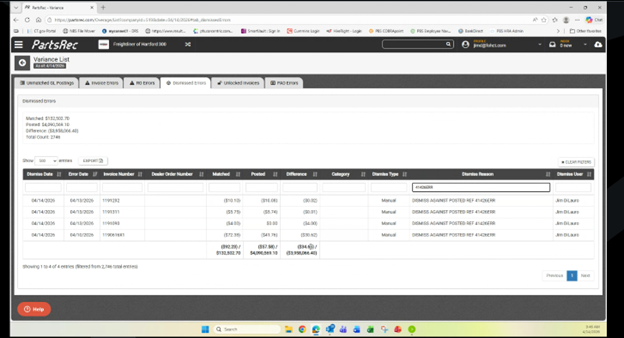
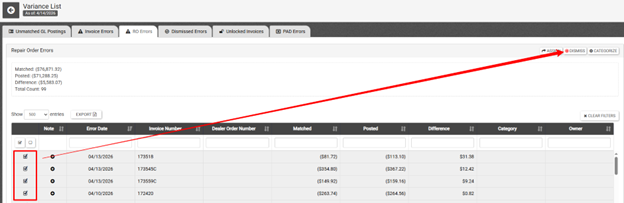
Identify which invoices need to be adjusted. Using the ‘Categorize’ button to sort them can be extremely helpful when bulk adjusting. Once the adjustments needed have been identified, they can be grouped for an adjustment, select them all.
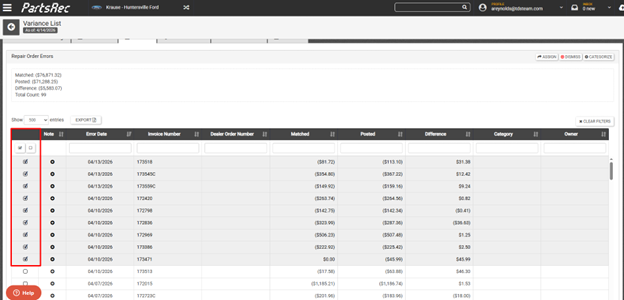
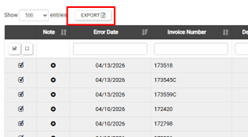
Once all are selected, total the amounts in the difference column. Export the selected invoices to excel using the EXPORT button above the Error Date column. Name the file something unique, a good practice is to append the date to the end of the file name. (PR - Variances - RO Errors041426.xlsx)
Once that has exported, select ALL populated cells in the Difference column.
- Click the first Cell (in this case it is H3)
- Hold SHIFT on the keyboard and then click the last Cell (H11)
- This will select all cells between the two.
- In the tool ribbon at the top, click the AutoSum function
- This will place the total in the cell below the range
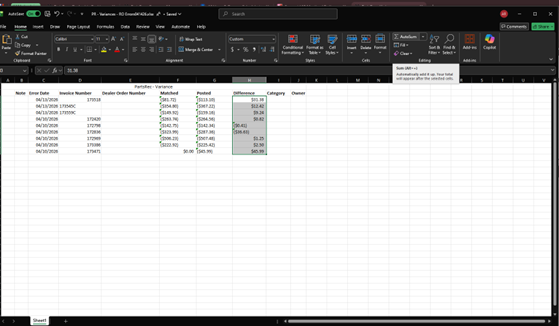
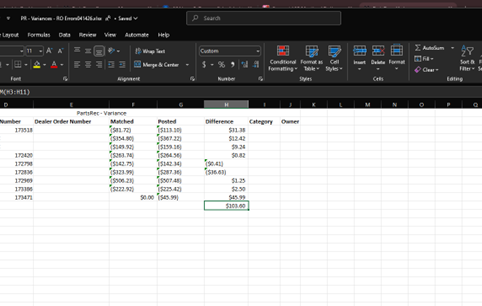
This total is what we will then adjust in the GL.
- Next step is to make an entry with a reference number 041426ROERR (date-ROERR)
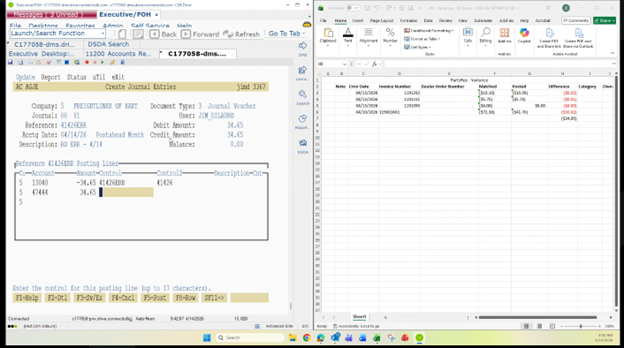
- After that, dismiss all the RO errors that we exported and totaled up – use the reference number as the reason for dismissal (041426ROERR)
- Since there is no invoice for the GL entry to match to, this will also create an Unmatched GL entry in the variance section Unmatched GL entries
- From the Unmatched GL entry screen, you will select the new entry, then create a NEW INVOICE, naming it the same thing as the entry (041426ROERR)
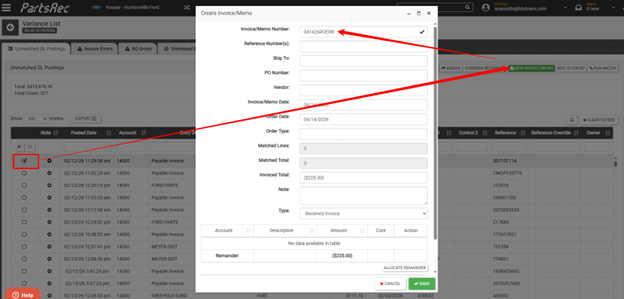
- After hitting save this will pair the new (blank) invoice with the GL entry. Because the posted amount and ‘matched’ amount are not equal, this will become an invoice error.
- We simply need to navigate to Invoice Errors and also dismiss this error, with the same reason (041426ROERR).
- The reason we use this as a dismissal reason is so that in Dismissed Errors we can still track all of the adjustments and related RO errors.