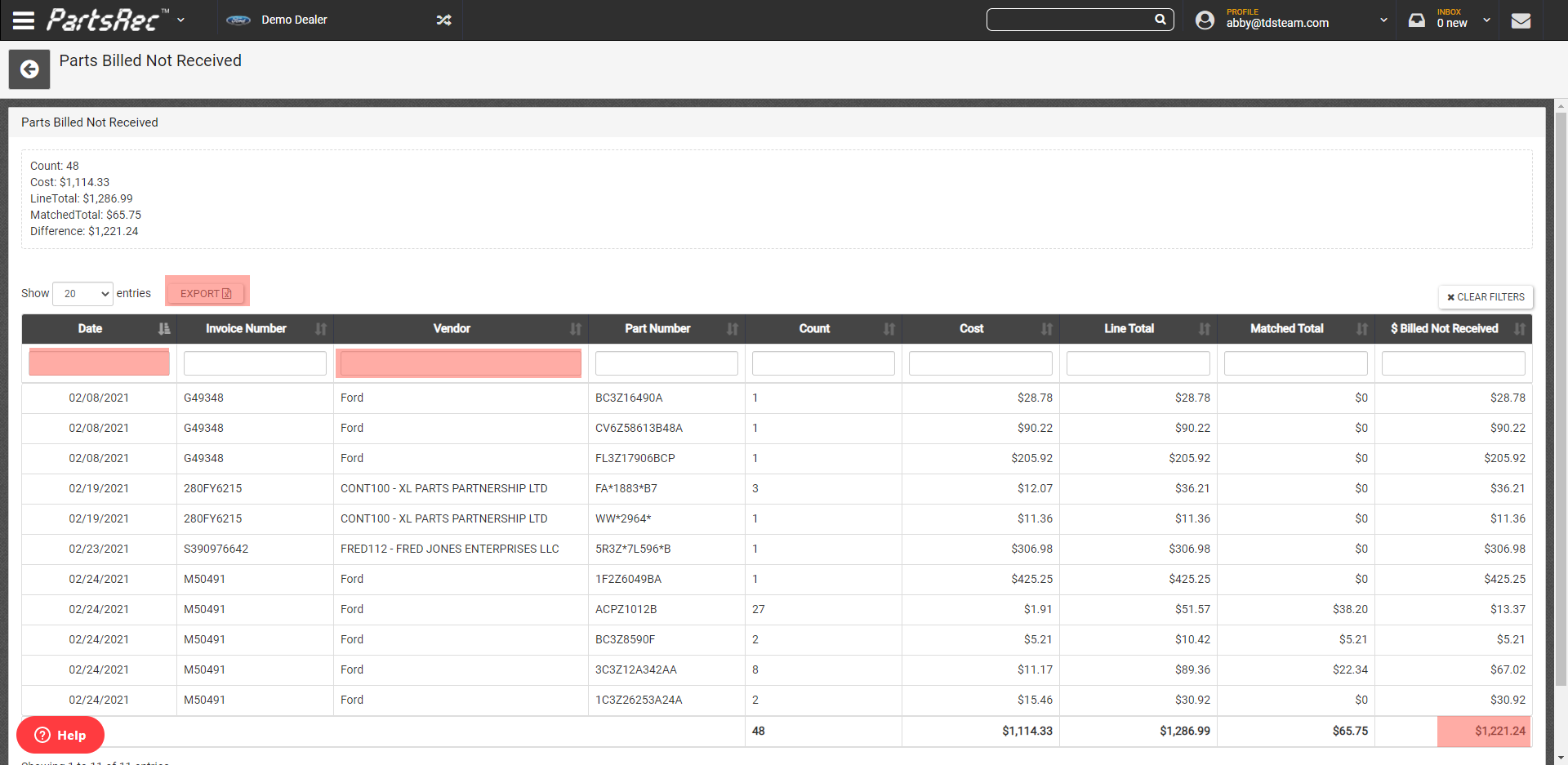
The Parts Billed Not Received report will generate a list of all parts billed not received on all your outstanding invoices.
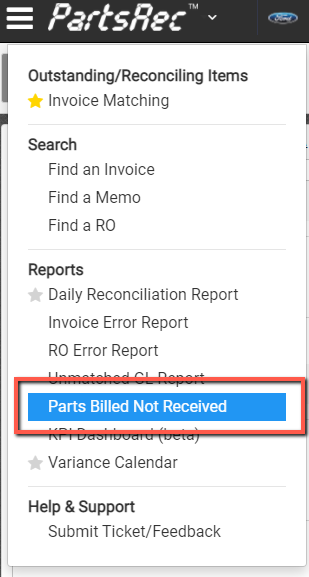
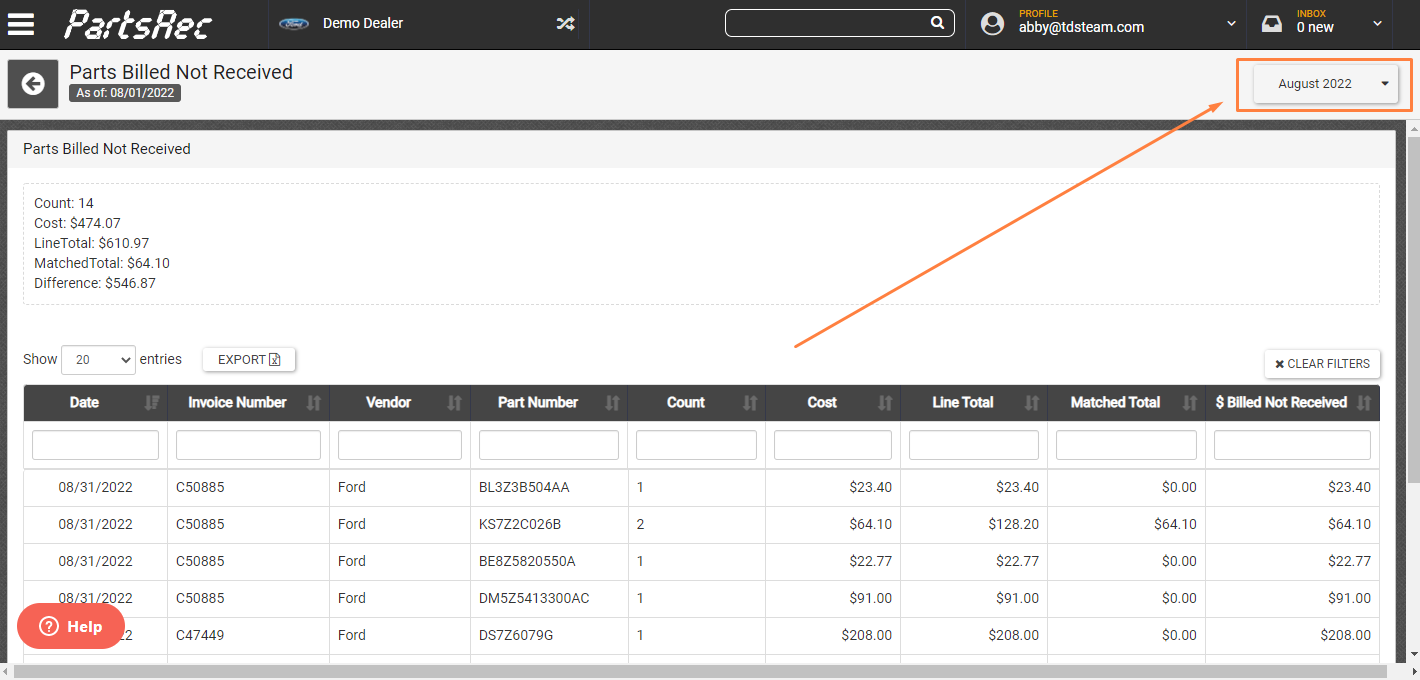
Use the date filter located at the top right of the report for month end cut-off. This will include parts billed not received until the following month.
Use the table columns to filter by invoice date and vendor or export to Excel for more advanced filtering.
Click on any part to drill down to the invoice detail.
Important things to know:
- Outstanding invoices only, does not include invoices in posted status.
- Parts billed not received that have been allocated to your inventory account will not show up on this report, only unmatched parts remaining in the none tab, and parts remaining in the partial tab due to quantity shortages.
- If you run for the current date the report will only show parts that have not been received at all, if you want to include parts billed but not received until the following month, use the date filter for month end cut-off.
- Invoices need to be matched (except for parts billed not received) and all cost differences/discounts/adjustments/freight/etc. need to be allocated.