
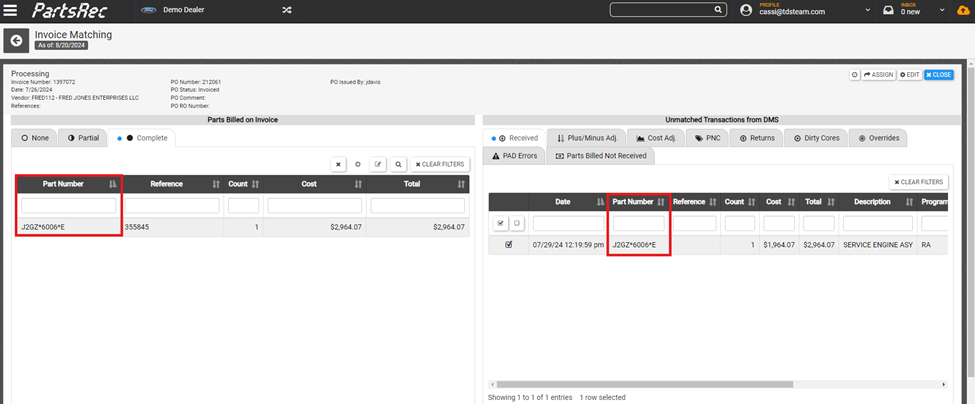
- Parts numbers need to match - avoid using generic part numbers on the PO ie “stock”, “battery”, “NPN”. Use the actual part number that you will be receiving into inventory or billing out on the RO/Parts Invoice. If multiple parts, you should list all part numbers on the purchase order.
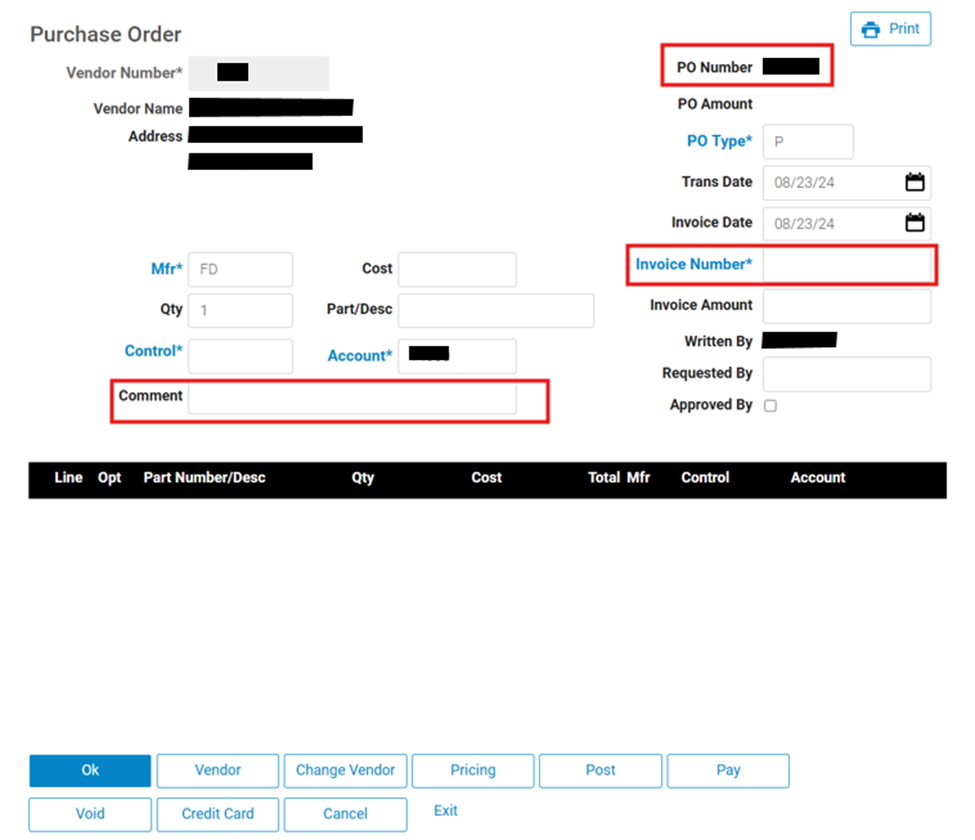
- Reference numbers need to match - avoid using generic reference numbers on the PO i.e. “STK” or blank reference numbers when you receipt the part. If you are posting the parts into inventory, use a specific reference number to receipt the parts in like the invoice number or PO number. If you are not posting the parts into inventory and are billing as an in/out, use the PO Comment field or Line Parts Invoice # or RO # to indicate the exact RO/Parts Invoice number.
- In order to auto match a part, we look for the following reference number matches between the PO and received transaction (if you list 2 numbers in the PO comment field separate each with a comma or comma and space ex 12345,6789 or 12345, 6789)
- Invoice number
- PO number
- The line RO/Parts Invoice number
- PO comment
PartsRec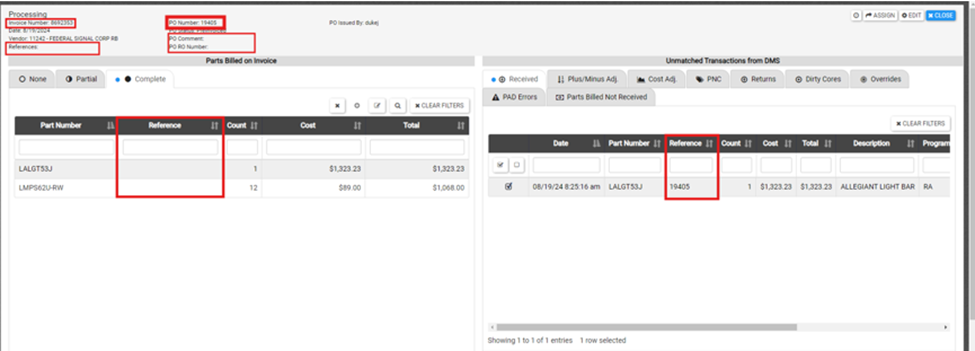
CDK 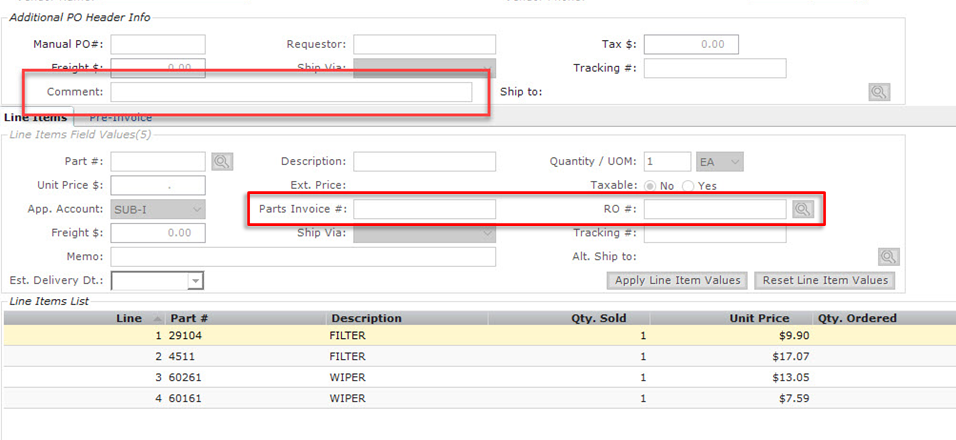
Dealertrack
By following these rules 90%+ of your POs will automatically process through PartsRec. The only invoices you will need to review and match, are invoices in “Need Assistance” status. Invoices in “Need Assistance” are invoices where an exact part number/reference number cannot be found within 5 days of the PO date.
PO's should be in complete status in PartsRec before finalizing in the DMS. Please note, Accounting does NOT need to use PartsRec to post vendor invoices. They can follow their normal process of posting through the DMS. Any posting errors will get caught in the error report. The error report can be used by accounting to make any necessary adjustments to the GL.
PO data updates nightly for DealerTrack and every 15 minutes for CDK.